Task Driven Development: The Professional Evolution of AI Coding
Discover how Task Driven Development (TDD) is revolutionizing AI-assisted software development, moving beyond simple prompting to structured, professional workflows that deliver real products.
Task Driven Development: The Professional Evolution of AI Coding
TL;DR
- Task Driven Development (TDD) is the evolution beyond basic AI prompting to structured project execution
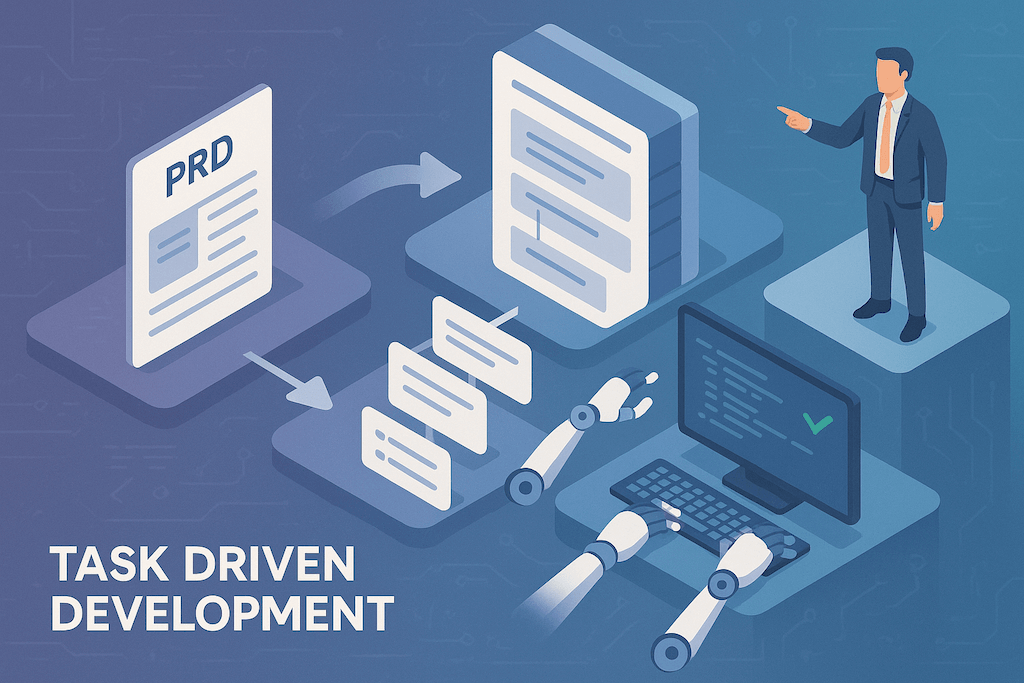
- The workflow: PRD → High-level tasks → Subtasks → AI execution with human oversight
- Front-load creativity in requirements, let AI handle implementation
- Tools like Taskmaster and Cursor rules enable professional AI-driven development
- Reduces "code slop" and endless debugging loops common in unstructured AI coding
- This approach bridges the gap between hackathon-style "vibe coding" and enterprise-ready development
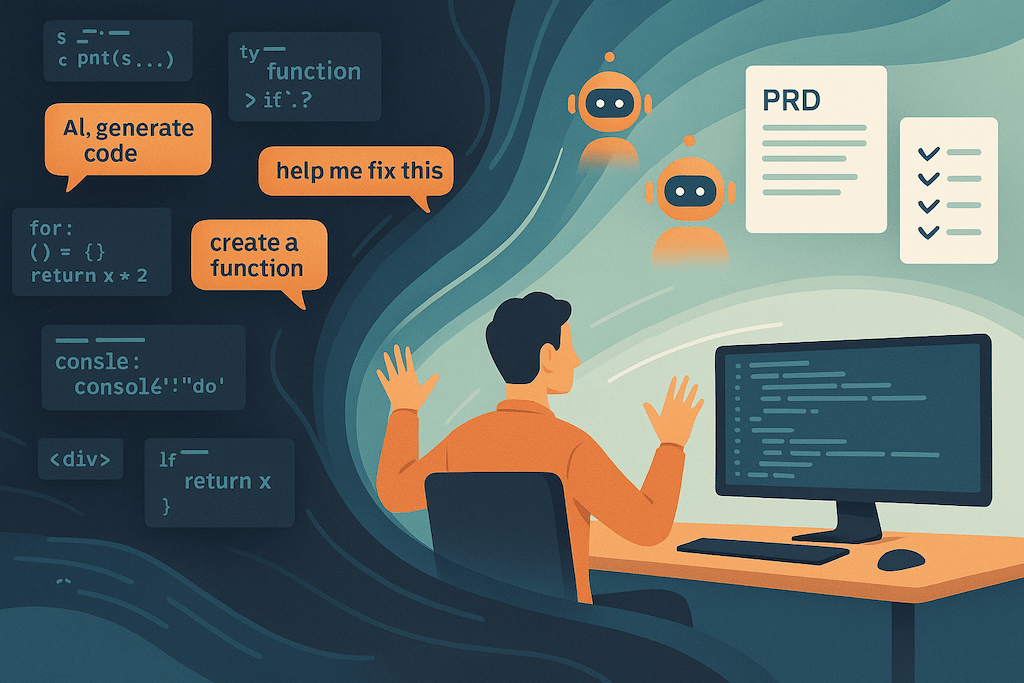
The era of randomly prompting AI tools all day is ending. What's emerging is Task Driven Development—a structured methodology that transforms AI from a glorified autocomplete into a managed development partner capable of building real, professional software products.
If you've tried "vibe coding" with Cursor or other AI tools but found it chaotic, inefficient, or unsuitable for serious projects, Task Driven Development is the professional evolution you've been waiting for.
The Evolution of AI-Assisted Development
We've seen three major shifts in how we build software with AI:
Phase 1: Tab Completion Era
Tools: GitHub Copilot, TabNine
Method: AI suggests line-by-line completions
Productivity Gain: 20-30% faster typing
Limitation: Still manually structuring all logic and architecture
Phase 2: Agent Mode Era
Tools: Cursor, Windsurf, Claude
Method: Chat-driven prompting for multi-file changes
Productivity Gain: 2-3x faster implementation
Limitation: Requires constant detailed prompting, prone to "code slop"
Phase 3: Task Driven Development Era (Now)
Method: Structured project execution with AI as managed workforce
Productivity Gain: 5-10x faster project completion
Advantage: Professional-grade output with minimal manual intervention
What Is Task Driven Development?
Task Driven Development (TDD) is a methodology that treats AI as a junior developer working under your direction, following a structured project management approach:
PRD (Requirements) → Tasks → Subtasks → AI Execution → Human Oversight
Instead of spending your day writing detailed prompts, you front-load your creative work into a comprehensive Project Requirements Document (PRD), then let AI systematically execute the implementation while you oversee and course-correct.
The Core Workflow
- Create a Detailed PRD: Document your project's requirements, architecture, and specifications
- Generate High-Level Tasks: Break the project into major development milestones
- Decompose into Subtasks: Create actionable, specific tasks that AI can execute independently
- Automated Execution: AI works through tasks sequentially, respecting dependencies
- Human Oversight: Review, approve, and course-correct as needed
This isn't just better prompting—it's a fundamental shift in how we approach AI-assisted development.
Why Traditional "Vibe Coding" Fails at Scale
While spontaneous AI prompting works for quick prototypes, it creates problems for real projects:
The Prompt Fatigue Problem
Experienced developers spend excessive time crafting detailed prompts instead of focusing on architecture and design. You become a full-time AI prompt writer rather than a software architect.
The Code Slop Issue
Without structure, AI generates inconsistent code that requires constant fixing, creating endless debugging loops that actually slow development.
The Context Loss Challenge
Long development sessions lose context, forcing you to re-explain requirements repeatedly as the AI "forgets" previous decisions.
The Professional Gap
Random prompting works for side projects but lacks the rigor needed for production systems with stakeholders, deadlines, and quality requirements.
Task Driven Development in Practice
Method 1: Using Taskmaster
Taskmaster is a specialized tool designed for TDD workflows.
Installation & Setup:
# Install Taskmaster
npm install -g taskmaster-ai

# Initialize in your project
taskmaster init

# Configure API keys (Anthropic, OpenAI, etc.)
Workflow Example:
# 1. Generate PRD from your idea
taskmaster prd "Build a todo app with drag-and-drop, user auth, and data persistence"

# 2. Parse PRD into tasks
taskmaster parse

# 3. Analyze task complexity
taskmaster analyze complexity

# 4. Expand complex tasks into subtasks
taskmaster expand --task-id 7

# 5. Execute tasks sequentially
taskmaster execute --next
Features:
- Automatic PRD generation with structured templates
- Task dependency tracking
- Complexity analysis with web research
- Progress monitoring and status updates
- Integration with Cursor via MCP protocol
Method 2: Cursor Rules Approach
A lighter-weight approach using Ryan Carson's Cursor rules that implement TDD principles:
Setup Files:
.cursor/rules/
├── create-prd.md
├── generate-tasks.md
└── process-tasks.md
Workflow:
- Create PRD: Use
create-prd.mdrules to generate comprehensive requirements - Generate Tasks: Convert PRD into structured task lists with
generate-tasks.md - Process Tasks: Execute tasks systematically using
process-tasks.mdguidelines
Example PRD Generation:
## Prompt:

I want to build a simple todo list application with:

- User authentication
- Drag and drop reordering
- Data persistence with SQLite
- Clean, modern UI

Create a comprehensive PRD using the structured template.
AI Response: Generates detailed PRD with user stories, technical requirements, architecture decisions, and implementation roadmap.
Real-World Implementation Examples
Case Study 1: E-commerce Dashboard
Traditional Approach (Agent Mode):
- 40+ individual prompts over 3 days
- Inconsistent component structure
- Multiple rounds of debugging
- Final product needed significant refactoring
Task Driven Approach:
- 2-hour PRD creation session
- 25 structured tasks generated automatically
- AI execution completed in 6 hours with minimal intervention
- Production-ready code with consistent patterns
Key Difference: Front-loading design decisions into the PRD eliminated most back-and-forth and rework.
Case Study 2: API Integration Service
Challenge: Build a service integrating 5 different APIs with error handling, rate limiting, and monitoring.
TDD Implementation:
## PRD Highlights:

- Integration requirements for each API
- Error handling strategies
- Rate limiting specifications
- Monitoring and alerting requirements
- Security and authentication patterns

## Task Breakdown:

1. Core service architecture (3 subtasks)
2. Individual API integrations (15 subtasks, 3 per API)
3. Error handling and resilience (4 subtasks)
4. Monitoring and observability (3 subtasks)
5. Testing and validation (5 subtasks)
Results:
- 95% of code generated by AI following task specifications
- Human involvement: PRD creation (20%) and oversight/approval (5%)
- Project completed 4x faster than traditional development
- Fewer bugs due to consistent patterns defined in PRD
Essential Tools and Setup
Core Tools
Taskmaster
- Best for: Complex projects requiring detailed task management
- Pros: Comprehensive workflow, dependency tracking, complexity analysis
- Cons: Additional tooling overhead, learning curve
Cursor with TDD Rules
- Best for: Teams preferring lightweight, customizable workflows
- Pros: Integrates with existing Cursor workflow, highly adaptable
- Cons: Requires manual rule configuration and maintenance
Recommended Cursor Settings
Enable these features for optimal TDD workflow:
{
  "cursor.features.autoRun": true, // Previously "yolo mode"
  "cursor.features.contextAwareness": true,
  "cursor.chat.enableMCP": true
}
Auto Run: Allows AI to execute terminal commands and file operations without manual approval for each action.
Supporting Tools
Documentation:
- Notion AI: Collaborative PRD creation and project tracking
- Linear: Task management integration
- GitHub Projects: Progress tracking and stakeholder updates
Development:
- Cursor: Primary AI-native development environment
- GitHub Copilot: Supplementary code completion
- Claude: Complex architecture discussions and PRD refinement
PRD Templates for Different Project Types
Web Application PRD Template
# Project Requirements Document

## Project Overview

- **Name**: [Project Name]
- **Type**: [SPA/SSR/Static Site]
- **Timeline**: [Duration]
- **Team**: [Roles and responsibilities]

## User Stories

- As a [user type], I want [goal] so that [benefit]

## Technical Requirements

### Frontend

- Framework: [React/Vue/Svelte]
- Styling: [Tailwind/Styled Components]
- State Management: [Redux/Zustand/Context]

### Backend

- Runtime: [Node.js/Python/Ruby]
- Database: [PostgreSQL/MongoDB/SQLite]
- Authentication: [JWT/OAuth/Sessions]

### Infrastructure

- Hosting: [Vercel/AWS/Digital Ocean]
- CI/CD: [GitHub Actions/GitLab CI]
- Monitoring: [Sentry/DataDog/New Relic]

## Architecture Decisions

- [Key architectural choices and rationale]

## Success Criteria

- [Measurable outcomes]
API Service PRD Template
# API Service Requirements

## Service Overview

- **Purpose**: [What problem does this solve]
- **Integration Points**: [External systems]
- **SLA Requirements**: [Performance and availability]

## Endpoints Specification

- **GET /api/v1/resource**: [Description, parameters, responses]
- **POST /api/v1/resource**: [Request/response schemas]

## Non-Functional Requirements

- **Performance**: [Response time, throughput requirements]
- **Security**: [Authentication, authorization, data protection]
- **Monitoring**: [Metrics, alerts, logging requirements]

## Data Models

- [Entity definitions and relationships]

## Integration Requirements

- [External API specifications and error handling]
Implementation Roadmap
Week 1: Foundation Setup
Objectives: Establish TDD workflow and tooling
Activities:
- Install and configure Taskmaster or Cursor rules
- Create PRD templates for your common project types
- Practice with a simple project (todo app, calculator, etc.)
- Establish team coding standards and review processes
Week 2-3: First Real Project
Objectives: Apply TDD to actual development work
Activities:
- Select a medium-complexity project for TDD implementation
- Create comprehensive PRD with stakeholder input
- Execute first project using structured task approach
- Document lessons learned and process improvements
Month 2: Scaling and Optimization
Objectives: Refine workflow and expand to team adoption
Activities:
- Customize PRD templates for your domain/industry
- Integrate TDD with existing project management tools
- Train team members on TDD methodology
- Establish metrics for measuring TDD effectiveness
Month 3+: Advanced Implementation
Objectives: Master advanced TDD techniques
Activities:
- Develop domain-specific task templates
- Create automated quality gates and validation
- Implement continuous improvement based on project outcomes
- Share learnings with broader development community
Measuring TDD Success
Productivity Metrics
- Development Velocity: Story points or features delivered per sprint
- Time to First Working Prototype: How quickly you validate ideas
- Code Review Efficiency: Reduced time spent in review cycles
- Bug Density: Defects per thousand lines of code
Quality Indicators
- Technical Debt: Long-term maintainability of AI-generated code
- Code Consistency: Adherence to established patterns and standards
- Test Coverage: Automated test generation and maintenance
- Documentation Quality: Completeness and accuracy of generated docs
Team Satisfaction
- Developer Experience: Team satisfaction with TDD workflow
- Stakeholder Confidence: Business team trust in delivery timelines
- Learning Velocity: Speed of onboarding new team members
- Creative Focus: Time spent on architecture vs. implementation details
Common Pitfalls and Solutions
Over-Engineering the PRD
Problem: Spending weeks perfecting requirements before starting development
Solution: Use time-boxed PRD sessions (2-4 hours max) and iterate based on implementation learnings
Insufficient Task Granularity
Problem: Tasks too large for AI to execute effectively
Solution: Break tasks down until each can be completed in 30-60 minutes
Ignoring Human Oversight
Problem: Trusting AI output without proper review
Solution: Establish mandatory checkpoints at task completion and before merging
Tool Over-Dependence
Problem: Becoming locked into specific TDD tools
Solution: Focus on methodology principles that can adapt to different toolchains
The Future of Task Driven Development
TDD represents a fundamental shift toward AI as workforce rather than AI as tool. This evolution will likely continue toward:
Autonomous Development Teams
AI agents managing entire development lifecycles with minimal human intervention for routine projects.
Domain-Specific TDD
Specialized PRD templates and task libraries for different industries (fintech, healthcare, e-commerce).
Integrated Business-Dev Workflows
Non-technical stakeholders directly contributing to PRDs and task prioritization.
Continuous Learning Systems
AI agents that improve task execution based on project outcomes and team feedback.
Getting Started Today
The barrier to entry for Task Driven Development is lower than you think. You don't need perfect tooling or comprehensive training—you need to start practicing the methodology.
This Week:
- Pick a small side project (tool, utility, simple app)
- Install Cursor and enable auto-run mode
- Write a basic PRD following the templates above
- Break it into 5-10 tasks and let AI execute them
- Document what worked and what didn't
This Month:
- Apply TDD to a real work project
- Customize PRD templates for your domain
- Share results with your team
- Start building organizational buy-in
This Quarter:
- Establish TDD as your default development methodology
- Train team members and create internal documentation
- Measure and communicate productivity improvements
- Become the TDD advocate in your organization
Conclusion: The Professional Evolution
Task Driven Development isn't just another productivity hack—it's the evolution of software development methodology for the AI era. By treating AI as a managed workforce rather than a sophisticated autocomplete, we can build better software faster while maintaining the creative and strategic control that makes us valuable as engineers.
The developers and teams who master TDD first will have a significant competitive advantage. They'll deliver more ambitious projects in less time while maintaining higher quality standards than those still stuck in the prompt-and-pray approach of basic AI coding.
The tools are ready. The methodology is proven. The only question is how quickly you'll adapt.
Task Driven Development is reshaping how we think about AI-assisted software development. Stay ahead of the curve by implementing these structured approaches in your next project.